 PlanForgeThe app
 PlanForge for iPhone and Android
See where your money is headed, right from your phone.
Your balance, bills, and goals live in one place, with every day in between mapped out. Run the numbers, sign what needs signing, and see what lands when.
It's included with your employer's PlanForge plan, and it's free to start on your own with no card needed. Works on iOS 16 or later and Android 7 or later.
Your 401(k) is with PlanForge
See your balance, what you put in each paycheck, the documents waiting on your signature, and every tool below. Sign in with the email your employer has on file, then set a PIN once.
Planning on your own
Forecast your cash, build a budget, and set goals with your real numbers. It's free to start with no card needed, and it works with or without a PlanForge 401(k).
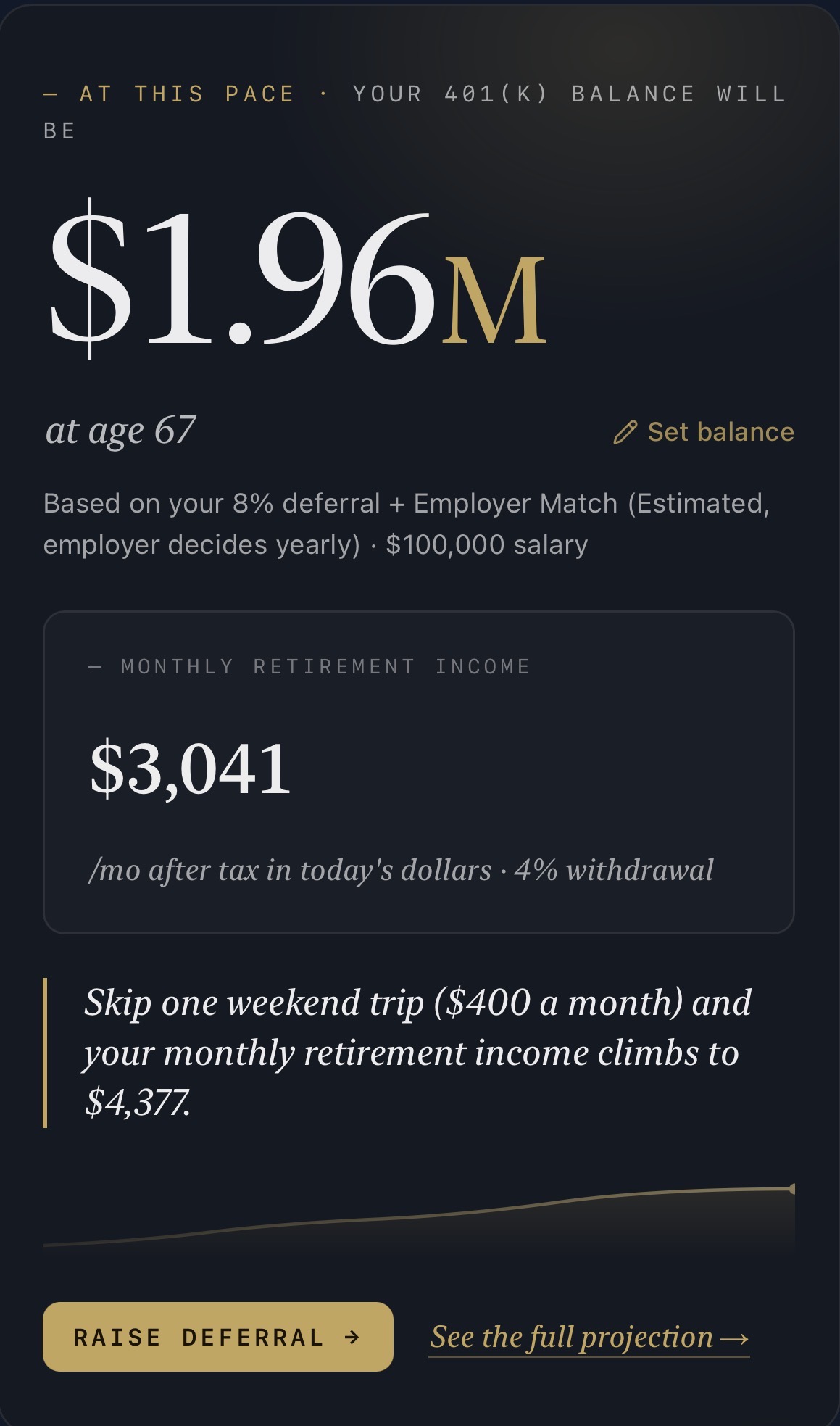
Where your balance lands, and what one change does to it.
A statement tells you what you have today. Sign in and you'll also see where it's heading: your balance at the age you plan to retire, what that's worth as monthly income in today's dollars, and the contribution, employer match, and salary behind it. The assumptions sit right under the number, where you can see them.
Then the part a statement never gives you: what one specific change would be worth in dollars a month, and a way to act on it while you're still looking at it.
Your money, day by day, 100 days out.
Most money stress comes down to timing, like whether payday lands before the bill does. ForgeCast shows you the whole runway, so a tight week shows up while there's still time to do something about it.
Add your bills, your cards, your outside accounts, and your budget, and ForgeCast gets sharper every time.
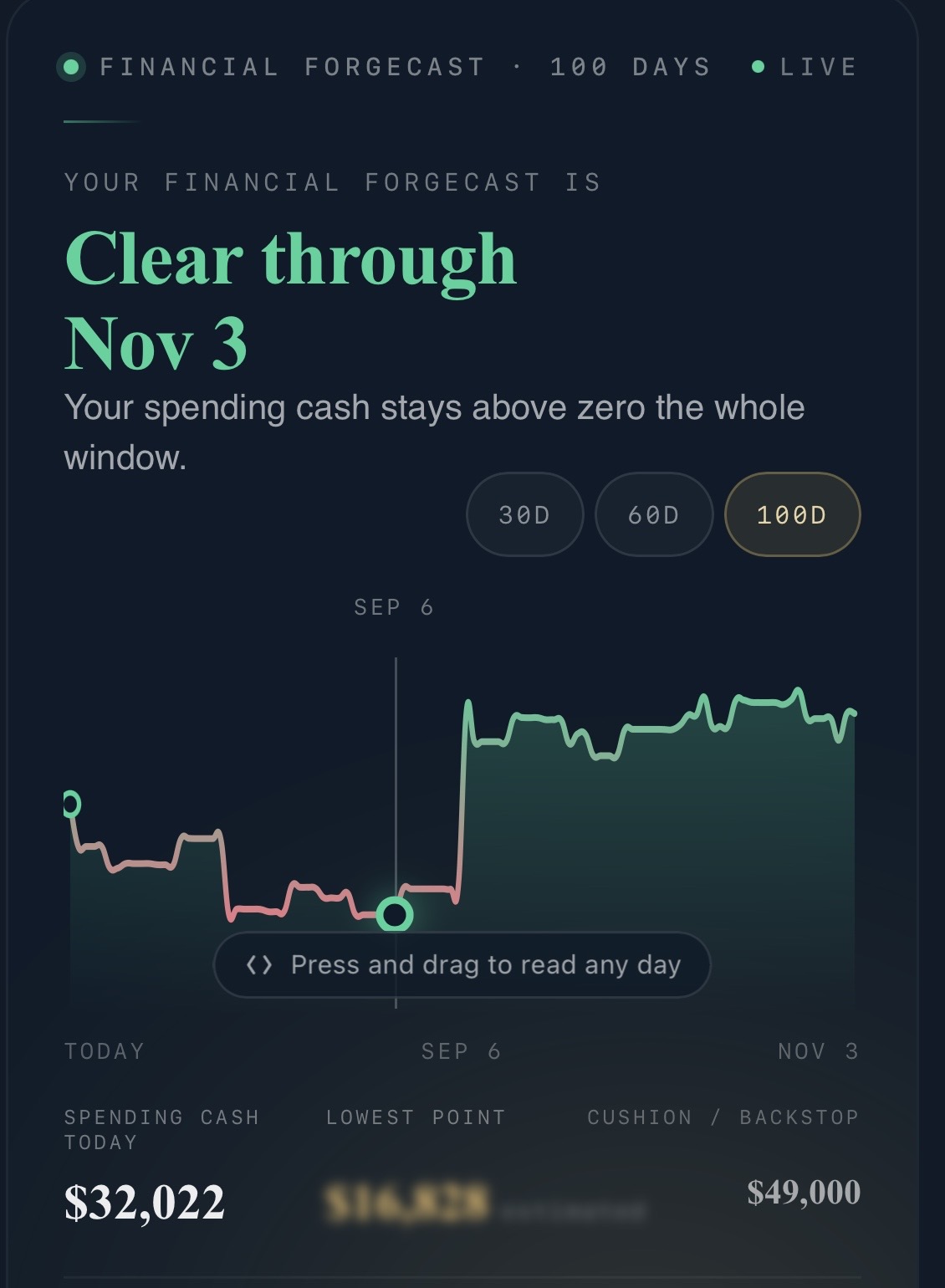
- Amber
- A day your balance dips below the cushion you set.
- Red
- A day you'd go negative if nothing changes.
- A star
- Marks the day a savings goal hits its target.
Ask about your own numbers.
Ask Alexis what's safe to spend this week, when your goal lands, or what happens if you put more toward the card. She answers from your real numbers.
The big questions go to a real advisor.
Everyday questions get answered in the app. The big ones go straight to Nick. Messages, documents, and deadlines all sit in one place, so nothing waits on hold music.
13 planning tools, all in the app.
- 01Budget Planner
- 02Financial ForgeCast
Your cash flow day by day, up to 100 days out.
- 03Retirement Outlook
- 04Social Security
- 05Roth vs Traditional
- 06Debt Planner
- 07Investment Property
Buy a rental through a brokerage, Solo 401(k), or IRA.
- 08Life Insurance
- 09HSA Check
Eligibility and contribution limits.
- 10Estate Planning
- 11Savings Goals
- 12Emergency Fund
- 13Financial Resources
Net worth, outside accounts, a dedicated retirement view, and a shared household space sit alongside them, so a family can plan together and keep private what should stay private.
Face ID, Touch ID, or a PIN
Unlock with your face or a fingerprint. No password to remember.
Alerts that matter
You hear about deadlines, documents to sign, and messages from your advisor, and that's it.
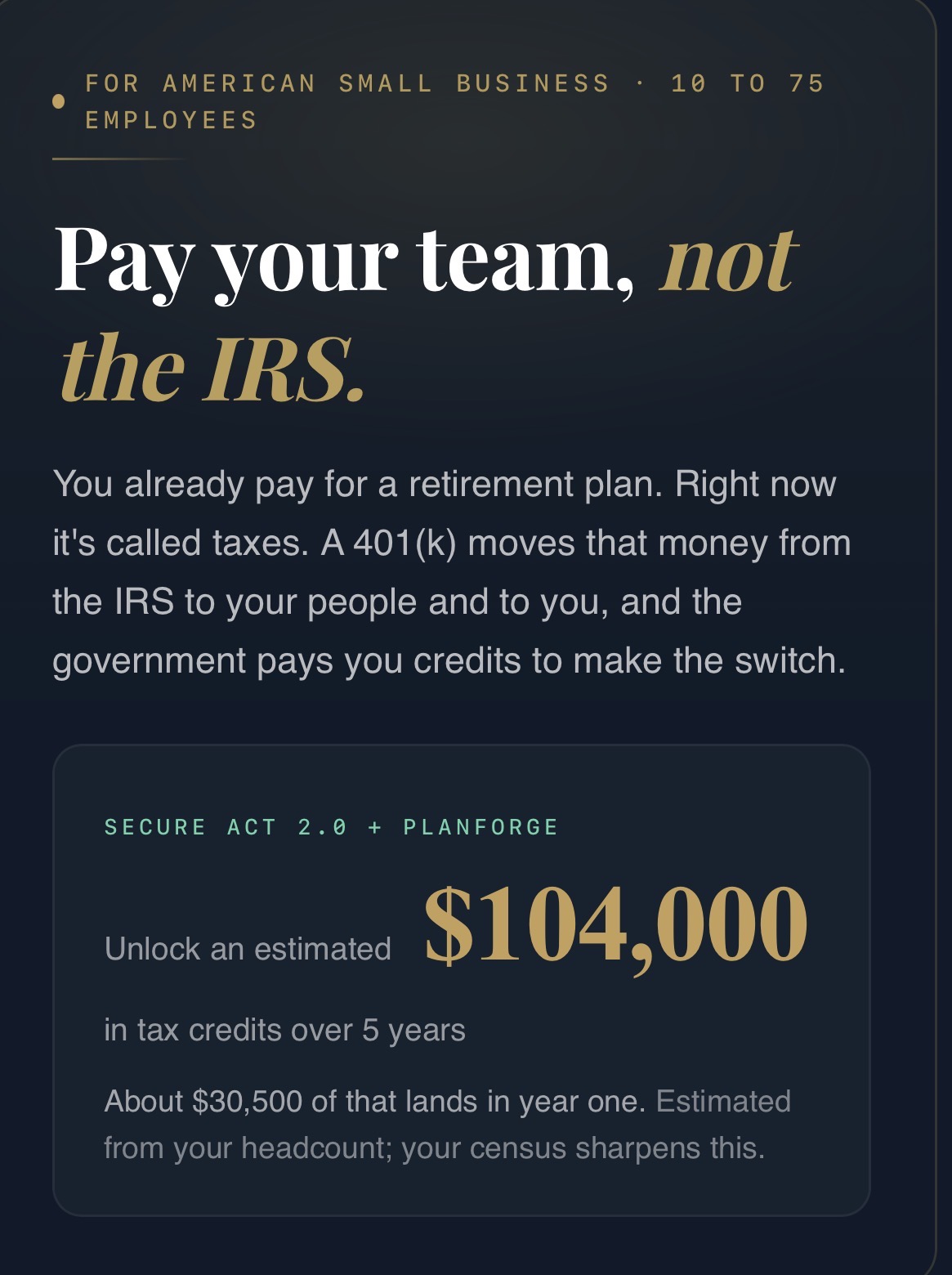
See what the plan is worth to your business.
Same app, same sign-in. You land on a setup screen that answers the money question first: what SECURE 2.0 tax credits could be worth for your headcount, how much of that lands in year one, and what setup still needs from you.
Once your plan is live, the same account shows participation, plan ROI, how your fees compare with plans your size, and your quarterly and annual reports.
Want the picture before you install? The Owner Calculator on our site builds it from your team.
See where every introduction stands.
Your partner workspace shows each referral from Submitted through Implemented. Open one to see its current stage, contact details, and what's happened so far.
Your sharing tools and the partner directory are right there when you need them.
Want the partner math before you apply? The Partner Calculator on our site builds it from your book.
- Install the app and tap Request access on the entry screen, then choose the professional partner option.
- Once we approve you, open the app, tap Continue as Partner, and sign in with that email.
